Your agentic analysis for asset data
Move Intelligence is the AI layer inside MyMove. Ask a question in plain language and get charts, metrics, and answers from your data in seconds.

Visualize. Analyze. In seconds.
Turn raw asset data into answers without manual filtering, or external tools.
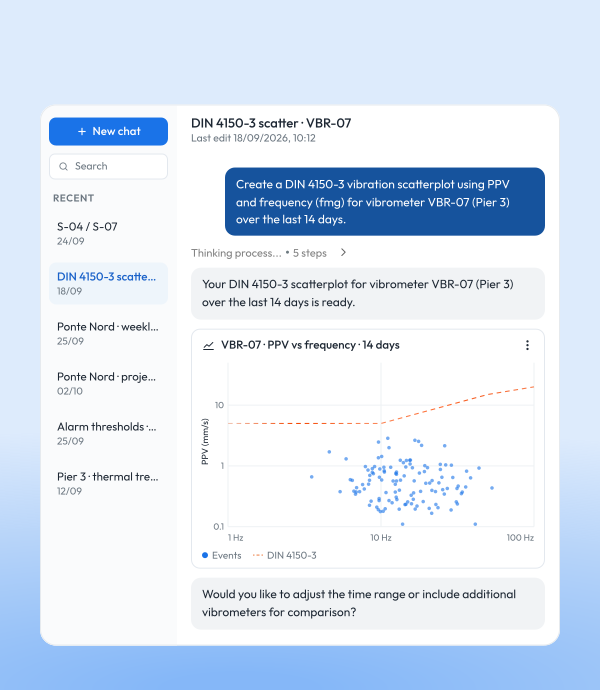

AI-assisted charts
Describe what you need, get a chart in seconds
- Natural language requests: Describe the chart like you would to a colleague. Move Intelligence builds it.
- Automatic data selection: The right sensors, parameters, and time ranges are picked for you.
- Save and reuse: Save any chart to your dashboard or drop it straight into a report.
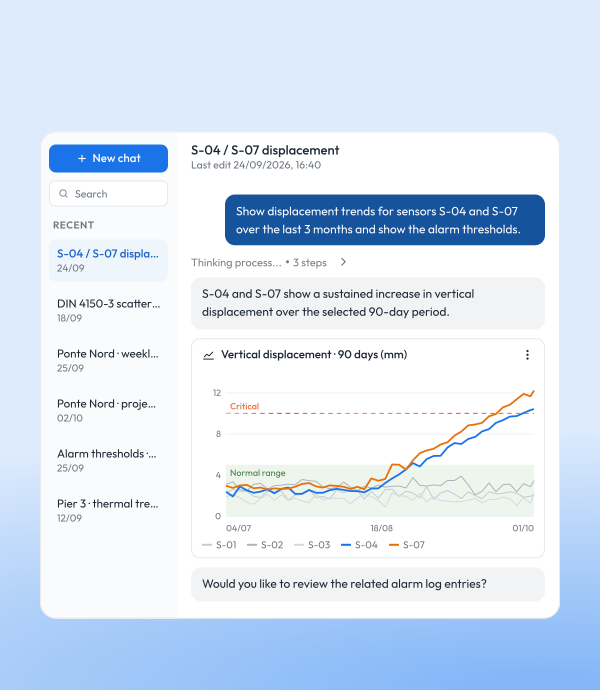

Comparative analytics
Accelerate engineering analysis
- Comparative trends: Compare sensors, parameters, and time periods — no manual charting.
- Derived metrics: Ask for maxima, minima, moving averages, filters, and correlations on the spot.
- Correlated views: Overlay structural and environmental parameters to see cause and effect.
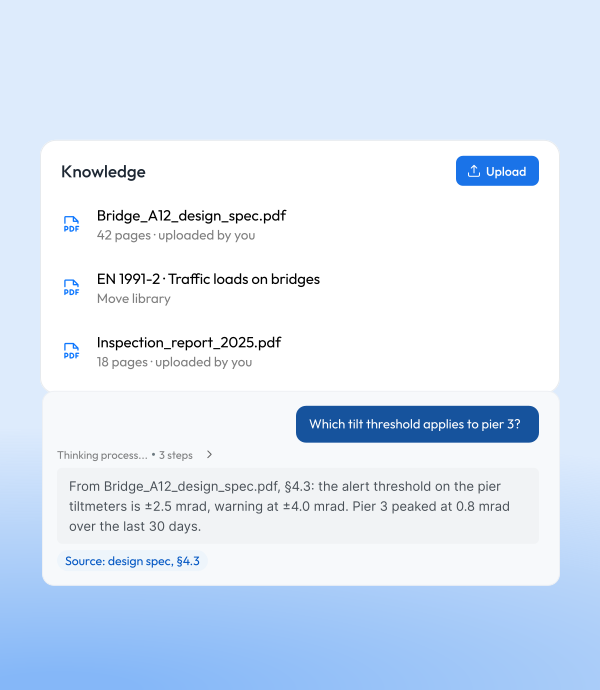

Knowledge
Built on a knowledge base, not a blank page
- Move Solutions expertise, built in: Move Intelligence comes with our technical documentation already inside — so it answers with engineering context from day one.
- Add your own: Upload your reports, specs, and manuals to extend the knowledge base. Add or remove documents whenever you need to.
- Answers with context: It reads both sources and factors them into every answer.
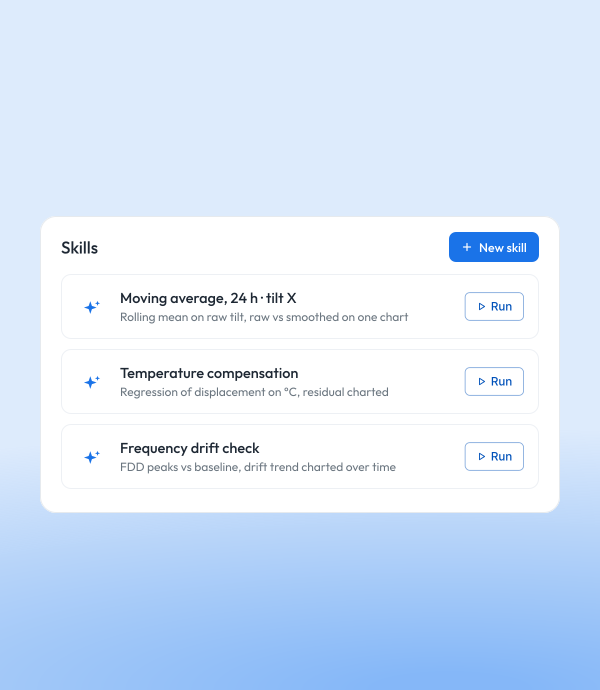

Skills
Turn any analysis into a one-click routine
- Ready-made skills: Start with skills built by Move Solutions for common analyses — available in every project.
- Save your own: Capture a sequence of steps as a reusable skill, then run it again with a single command — no repeating the setup.
- Build your library: Create, share, and manage the skills your team relies on.
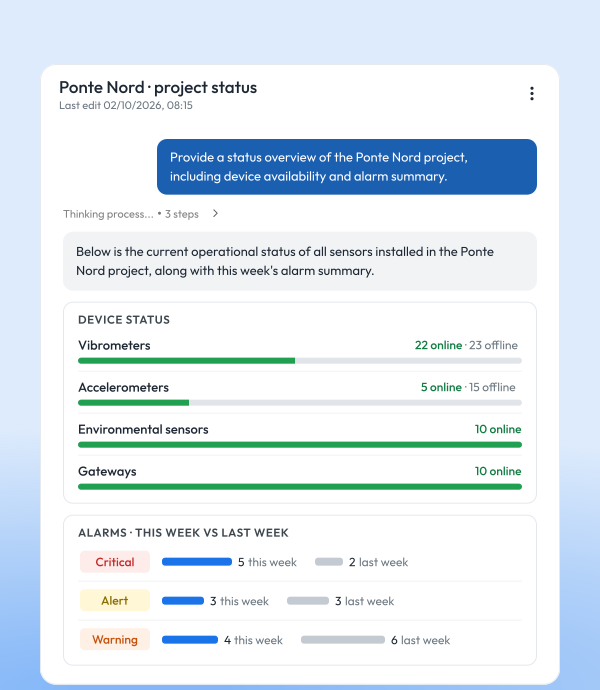

Operational overview
Know what’s happening across your whole project
- Device status on demand: Ask for a structured summary of connectivity and reporting status — don’t go hunting.
- Instant alarm summaries: Query this week’s triggers, or past events grouped by device or type, in seconds.
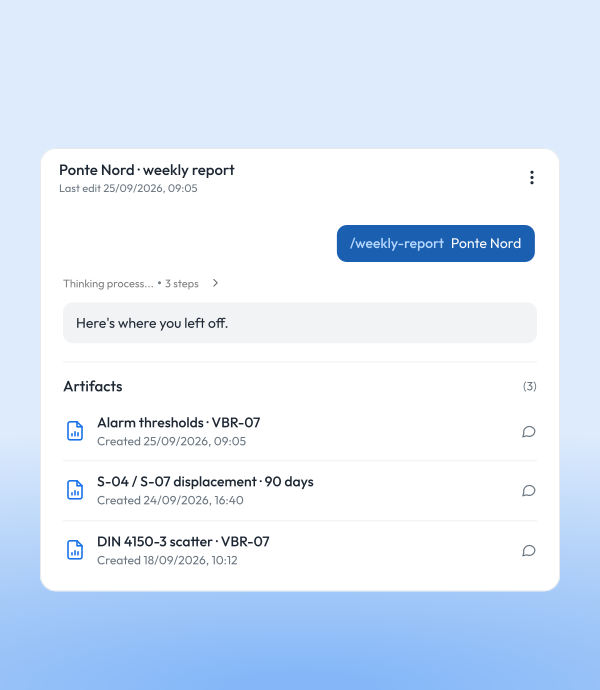

Saved work
Pick up where you left off
- Charts stay in memory: Every chart you generate is collected and saved as an artifact — no re-running, no re-exporting to find it again.
- Reopen any conversation: Your chats with Move Intelligence are kept as history, ready to revisit, continue, and reuse.
See MyMove in action
Book a 20-minute demo with our experts and discover how MyMove can unify all your monitoring data—wireless and third-party—into one intelligent platform.